
If your Android phone feels slow, apps crash often, or storage fills up quickly, the problem might be cached data. Many beginners don’t know what cache is or how to clear it safely. Don’t worry—this complete beginner guide will explain what cache is, why you should clear it, and step-by-step methods to clear cache on Android phones without losing important data.
This guide works for Samsung, Xiaomi, Realme, Oppo, Vivo, OnePlus, Google Pixel, and most Android devices.
What Is Cache on Android?
Cache is temporary data stored by apps and the system to help your phone load faster. For example:
- Chrome saves website images
- YouTube stores video previews
- Instagram saves profile images
- Games save temporary files
Cache improves speed, but too much cache causes problems over time.
Why Should You Clear Cache on Android?
Clearing cache has many benefits, especially for beginners:
✔ Improves Phone Speed
Old cached files can slow down your phone. Clearing cache helps restore smooth performance.
✔ Frees Up Storage Space
Apps may store hundreds of MBs of cache data.
✔ Fixes App Crashes
Corrupted cache can cause apps to stop working.
✔ Solves App Loading Issues
If apps freeze or show errors, clearing cache often fixes it.
✔ Improves Battery Life
Heavy cache usage can drain battery faster.
Is Clearing Cache Safe?
Yes, clearing cache is 100% safe.
✔ It does NOT delete personal data
✔ It does NOT remove photos or videos
✔ It does NOT log you out of apps
⚠ Do NOT confuse cache with app data, which removes login details and settings.
Difference Between Cache and App Data
| Feature | Cache | App Data |
|---|---|---|
| Temporary files | ✅ Yes | ❌ No |
| Deletes login info | ❌ No | ✅ Yes |
| Safe to clear | ✅ Yes | ⚠ Sometimes |
| Improves performance | ✅ Yes | ❌ No |
👉 Beginners should only clear cache, not app data.
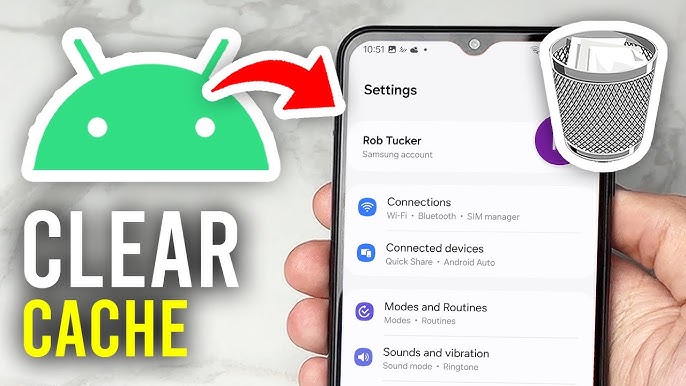
Method 1: Clear Cache for Individual Apps (Recommended)
This is the best and safest method.
Steps:
- Open Settings
- Tap Apps or Applications
- Select the app (e.g., Chrome, YouTube)
- Tap Storage
- Tap Clear Cache
✅ Done!
You can repeat this for apps using too much storage.
Method 2: Clear Cache for All Apps (System Cache)
Some Android versions allow clearing system cache.
Steps (may vary by device):
- Open Settings
- Tap Storage
- Tap Cached Data
- Select Clear Cache
⚠ This option is not available on all devices.
Method 3: Clear Cache Using Recovery Mode (Advanced but Safe)
This method clears system cache, not personal files.
Steps:
- Turn off your phone
- Press Power + Volume Up together
- Enter Recovery Mode
- Select Wipe Cache Partition
- Reboot device
✅ This is safe and helpful after updates.
How to Clear Cache on Popular Android Brands
Samsung Phones
- Settings → Apps → Select App → Storage → Clear Cache
Xiaomi / Redmi / Poco
- Settings → Apps → Manage Apps → Storage → Clear Cache
Realme / Oppo / Vivo
- Settings → App Management → App Info → Storage → Clear Cache
OnePlus
- Settings → Apps → App Storage → Clear Cache
Google Pixel
- Settings → Apps → Storage & Cache → Clear Cache
How Often Should You Clear Cache?
You don’t need to clear cache daily.
✔ Once every 2–4 weeks
✔ When phone becomes slow
✔ When apps crash or freeze
✔ After system updates
Should You Use Cache Cleaner Apps?
❌ Not recommended
Reasons:
- Most cleaner apps show fake results
- They show too many ads
- They drain battery
- Android already manages cache well
👉 Manual cache clearing is better and safer.
Common Myths About Clearing Cache
❌ Myth: Clearing cache deletes photos
✅ Truth: Cache has nothing to do with gallery photos
❌ Myth: Cache clearing damages phone
✅ Truth: It improves phone health
❌ Myth: You must clear cache daily
✅ Truth: Occasional clearing is enough
Signs You Need to Clear Cache
- Phone is slow
- Apps crash frequently
- Storage fills quickly
- Apps won’t open
- Phone heats up
If you see these signs, clearing cache can help instantly.
Final Thoughts
Clearing cache on Android phones is easy, safe, and very useful, especially for beginners. It improves performance, fixes common problems, and frees up storage without deleting important data.
If your Android phone is slow or misbehaving, clearing cache should be your first step.
For more beginner-friendly Android tips, APK guides, and app tutorials, keep visiting APKW8.org.