
Public Wi-Fi has become a part of our daily digital life. From coffee shops and airports to hotels, malls, and libraries, free internet access is everywhere. While public Wi-Fi is convenient, it is also one of the biggest security risks for smartphone and laptop users.
Many people connect to public Wi-Fi without thinking about safety. Hackers know this and often target public networks to steal personal data, passwords, banking details, and even social media accounts. If you use public Wi-Fi the wrong way, your private information can be exposed in seconds.
In this detailed guide, you will learn how to stay safe while using public Wi-Fi, the risks involved, and the best security tips to protect your data in 2026 and beyond.
What Is Public Wi-Fi?
Public Wi-Fi is a wireless internet connection that is open for everyone and usually free. You don’t need a password or sometimes use a simple shared password provided by the place.
Common Places Where Public Wi-Fi Is Available:
- Coffee shops and restaurants
- Airports and railway stations
- Hotels and hostels
- Shopping malls
- Hospitals
- Universities and libraries
Because these networks are shared by many users, they are less secure than your home or mobile data connection.
Why Public Wi-Fi Is Dangerous
Public Wi-Fi networks usually lack strong encryption, making it easy for cybercriminals to monitor traffic and steal information.
Main Risks of Using Public Wi-Fi:
- Data theft
- Password hacking
- Identity theft
- Malware attacks
- Fake Wi-Fi networks
- Account hijacking
Even a few minutes on an unsafe network can expose your device.
Common Public Wi-Fi Security Threats
Understanding the threats helps you stay protected.
1. Man-in-the-Middle (MITM) Attacks
Hackers intercept communication between your device and the website you are visiting. They can see:
- Login credentials
- Messages
- Emails
- Payment details
2. Fake Wi-Fi Hotspots
Hackers create Wi-Fi names like:
- “Free Airport Wi-Fi”
- “Cafe_WiFi”
Once you connect, they can monitor everything you do.
3. Packet Sniffing
Cybercriminals use tools to capture unencrypted data sent over the network.
4. Malware Injection
Hackers inject malicious software into your device without you knowing.
5. Session Hijacking
Your active login sessions (Facebook, Gmail, etc.) can be stolen and reused.
How to Stay Safe While Using Public Wi-Fi
Now let’s discuss practical and proven safety tips you should follow every time you connect to public Wi-Fi.
1. Avoid Accessing Sensitive Information
Never use public Wi-Fi for:
- Online banking
- Credit/debit card payments
- Crypto wallets
- Work dashboards
- Personal documents
If it’s important, wait or use mobile data.
2. Use a Trusted VPN (Very Important)
A VPN (Virtual Private Network) encrypts your internet traffic and hides your real IP address.
Benefits of Using a VPN:
- Encrypts your data
- Protects against hackers
- Hides browsing activity
- Secures public Wi-Fi connections
Choose a trusted VPN app with:
- No-log policy
- Strong encryption (AES-256)
- Good speed
- Kill switch feature
Tip: Always connect to VPN before using public Wi-Fi.
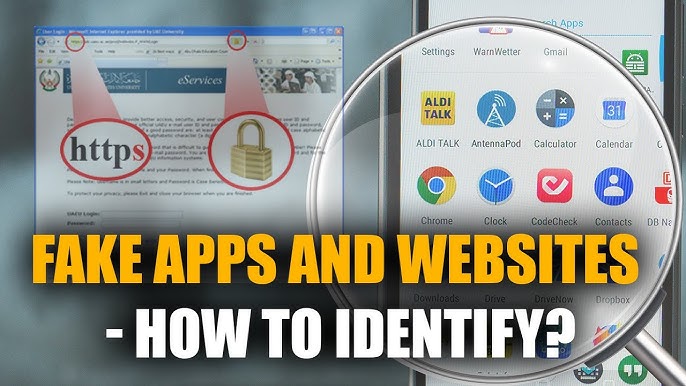
3. Use HTTPS Websites Only
Make sure the website URL starts with:
https://
HTTPS means the connection is encrypted.
How to Check:
- Look for a padlock icon in the browser
- Avoid websites showing “Not Secure”
You can also use browser extensions that force HTTPS.
4. Turn Off Auto-Connect Wi-Fi
Auto-connect allows your device to join unknown networks automatically.
Why This Is Dangerous:
- You may connect to fake Wi-Fi
- Hackers can exploit saved networks
What to Do:
- Disable “Auto Join” or “Auto Connect”
- Manually connect only when needed
5. Use Mobile Data for Sensitive Tasks
Mobile networks are much safer than public Wi-Fi.
If you need to:
- Login to bank
- Make payments
- Access private files
Switch to 4G/5G mobile data.
6. Enable Firewall on Your Device
A firewall blocks unauthorized access to your device.
Enable Firewall On:
- Windows
- macOS
- Android (via security apps)
- iOS (system-level protection)
Firewalls help prevent hackers from accessing your system remotely.
7. Keep Your Device Updated
Outdated software has security holes.
Always Update:
- Operating system
- Browser
- Security apps
- VPN apps
Updates include security patches that protect against new threats.
8. Disable File Sharing & AirDrop
File sharing features can expose your device.
Turn Off:
- File sharing
- Bluetooth
- AirDrop
- Nearby sharing
Enable them only when needed.
9. Use Strong Passwords & Password Managers
Weak passwords are easy to hack.
Tips:
- Use unique passwords
- Combine letters, numbers, symbols
- Avoid same password everywhere
A password manager helps store and generate strong passwords securely.
10. Enable Two-Factor Authentication (2FA)
2FA adds an extra layer of protection.
Even if your password is stolen, hackers cannot log in without the second verification.
Enable 2FA For:
- Social media
- Banking apps
- Cloud storage
11. Log Out After Use
Always log out from:
- Email accounts
- Social media
- Online dashboards
Never stay logged in on public networks.
12. Avoid Downloading Files on Public Wi-Fi
Downloads can contain:
- Viruses
- Spyware
- Trojans
Download apps and files only from trusted sources and preferably on private networks.
13. Forget Public Networks After Use
After using public Wi-Fi:
- Go to Wi-Fi settings
- Remove or “Forget” the network
This prevents your device from reconnecting automatically.
14. Use Antivirus & Security Apps
A good antivirus can:
- Detect malware
- Block phishing sites
- Warn about unsafe networks
Choose lightweight and updated security apps for better protection.
15. Check Network Name Carefully
Before connecting:
- Confirm Wi-Fi name with staff
- Avoid duplicate or suspicious names
If something looks unusual, do not connect.
Public Wi-Fi Safety Tips for Android Users
Android users should:
- Use Play Protect
- Install apps only from Google Play
- Avoid mod or unknown APKs on public Wi-Fi
- Check app permissions regularly
Public Wi-Fi Safety Tips for iPhone Users
iPhone users should:
- Enable “Limit IP Address Tracking”
- Turn off Wi-Fi Assist
- Use private browsing
- Keep iOS updated
Is Public Wi-Fi Ever Safe?
Public Wi-Fi can be relatively safe if:
- You use a VPN
- You avoid sensitive tasks
- You follow security best practices
But it is never 100% safe.
Best Alternative to Public Wi-Fi
Safer Options:
- Mobile hotspot
- Personal Wi-Fi device
- Trusted private networks
These options reduce security risks significantly.
Final Thoughts
Public Wi-Fi is convenient but dangerous if used carelessly. Cyber threats are increasing every year, and hackers are becoming smarter. A single mistake on public Wi-Fi can cost you your personal data, money, or identity.
By following the tips in this guide, you can stay safe while using public Wi-Fi and protect your device, data, and privacy.
Always remember:
- Use VPN
- Avoid sensitive activities
- Stay alert
- Keep your device secure