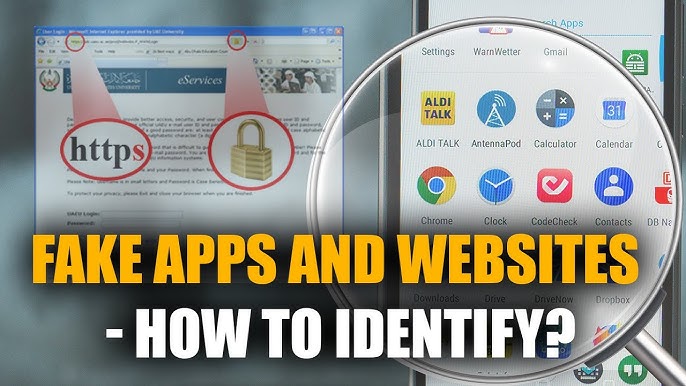

The internet has become an essential part of our daily lives. From online learning and remote work to entertainment and digital payments, we rely on the internet more than ever. However, many users still don’t know how to use it efficiently, safely, and smartly. In this article, we will share useful internet tips everyone should know to improve productivity, protect privacy, and get the most out of the online world.
1. Use Strong and Unique Passwords
One of the most important internet safety tips is using strong passwords. Avoid simple passwords like 123456 or password. Instead, create a combination of uppercase letters, lowercase letters, numbers, and symbols.
Pro Tip:
Use a password manager to store and generate secure passwords for different websites.
2. Enable Two-Factor Authentication (2FA)
Two-factor authentication adds an extra layer of security to your online accounts. Even if someone gets your password, they won’t be able to log in without the second verification step, such as a code sent to your phone or email.
Always enable 2FA for:
- Email accounts
- Social media
- Banking and financial apps
3. Keep Your Browser Updated
Outdated browsers can expose your device to security risks. Browser updates fix bugs, improve speed, and patch security vulnerabilities.
Popular browsers like Google Chrome, Firefox, and Edge update automatically, but it’s good to check regularly.
4. Learn Basic Search Tricks on Google
Using smart search techniques can save a lot of time. Here are some useful Google search tips:
- Use quotes
" "to search exact phrases - Use
site:to search within a specific website - Use
-to exclude words from results
Example:best android apps site:apkw8.org
5. Avoid Clicking on Suspicious Links
Phishing scams are very common on the internet. Never click on unknown links sent via email, SMS, or social media. These links may steal your data or install malware on your device.
Always check:
- Sender’s email address
- Website URL spelling
- HTTPS security lock
6. Use a VPN on Public Wi-Fi
Public Wi-Fi networks in cafes, airports, or hotels are often unsecured. Hackers can easily intercept your data.
Using a VPN (Virtual Private Network) encrypts your internet connection and protects your privacy, especially when using public networks.
7. Manage Your Online Privacy Settings
Most websites and social media platforms collect user data. You should regularly review and adjust your privacy settings.
Steps you should take:
- Limit app permissions
- Turn off unnecessary location access
- Review ad personalization settings
8. Clear Cache and Cookies Regularly
Browsers store cache and cookies to improve speed, but over time they can slow down performance and track your activity.
Clearing cache and cookies:
- Improves browser speed
- Fixes loading issues
- Enhances privacy
9. Back Up Your Important Data
Never rely on a single device for storing important files. Always back up your data using:
- Cloud storage (Google Drive, OneDrive)
- External hard drives
This protects your data from accidental deletion, malware attacks, or device failure.
10. Be Careful with Free Downloads
Free software and apps may contain hidden malware or adware. Always download files from trusted websites and official sources.
Before installing anything:
- Read reviews
- Scan files with antivirus software
- Avoid cracked or pirated content
11. Use Ad Blockers Wisely
Ad blockers can improve browsing speed and remove annoying ads, but some websites rely on ads for revenue. Use ad blockers responsibly and whitelist trusted websites you support.
12. Learn Basic Online Etiquette
Good internet habits matter. Always:
- Respect others online
- Avoid spreading fake news
- Think before commenting or sharing
Responsible internet usage creates a safer and more positive digital environment.
Conclusion
The internet is a powerful tool, but only if used wisely. By following these useful internet tips, you can stay safe, protect your personal data, and improve your online experience. Whether you’re a student, professional, or casual user, these tips will help you use the internet smarter and more efficiently.
For more tech tips, app guides, and internet tutorials, keep visiting apkw8.org and stay updated with the latest digital trends.