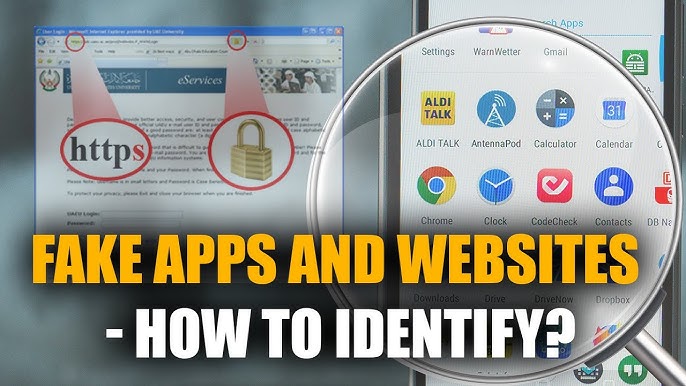

In today’s digital world, fake apps and scam websites are increasing rapidly. Millions of users unknowingly download malicious apps or visit fraudulent websites that steal personal data, banking details, and even take control of devices. If you use Android apps, APK files, or browse the internet regularly, knowing how to identify fake apps and websites is essential for your online safety.
In this detailed guide by APKW8, you’ll learn how fake apps and websites work, common warning signs, real-world examples, and expert tips to stay safe in 2026 and beyond.
What Are Fake Apps and Fake Websites?
Fake Apps
Fake apps are malicious or misleading applications designed to look like popular or trusted apps. They often:
- Steal personal data
- Show excessive ads
- Install malware or spyware
- Perform unauthorized transactions
These apps are commonly found on third-party app stores or shared as APK files.
Fake Websites
Fake websites imitate real platforms like banks, shopping sites, or social media pages. Their goal is to:
- Steal login credentials
- Collect credit/debit card details
- Spread malware
- Trick users into paying fake fees
Why Fake Apps and Scam Websites Are Dangerous
Fake apps and websites can cause serious damage, including:
- Financial loss
- Identity theft
- Account hacking
- Device damage
- Privacy invasion
According to cybersecurity reports, phishing and fake apps cost users billions of dollars annually. Most victims fall for scams because fake platforms look almost identical to real ones.
Common Types of Fake Apps You Should Know
1. Fake Popular Apps
Scammers copy famous apps like WhatsApp, Instagram, TikTok, or Telegram using similar icons and names.
Example:
- WhatsApp Plus Fake Version
- Instagram Pro Mod Scam
2. Fake Gaming Apps
Fake games promise unlimited coins, hacks, or cheats but install malware instead.
3. Fake Utility Apps
Battery savers, phone cleaners, VPNs, and boosters often claim false performance benefits.
4. Fake Investment & Earning Apps
These apps promise daily income, crypto rewards, or referral earnings and disappear after collecting money.
Common Types of Fake Websites
1. Phishing Websites
Designed to steal usernames and passwords (e.g., fake Facebook or Google login pages).
2. Fake Shopping Websites
Offer massive discounts on branded products and never deliver orders.
3. Fake APK Download Sites
Distribute infected APK files under the name of popular apps.
4. Fake Government or Bank Websites
Imitate official portals to steal sensitive personal data.
How to Identify Fake Apps (Step-by-Step)
1. Check the App Developer Name
Always verify the developer name.
Red Flags:
- Unknown developers
- Misspelled company names
- No developer website
Legitimate apps are published by verified companies or well-known developers.
2. Read App Reviews Carefully
Fake apps often have:
- Repetitive 5-star reviews
- Poor grammar
- Generic comments like “Nice app” or “Very good”
Tip: Read 1-star reviews—they usually expose real problems.
3. Check App Permissions
If a calculator app asks for:
- Contacts
- SMS access
- Microphone
- Storage access
It’s suspicious.
Rule: Apps should only request permissions related to their function.
4. Look at Download Count
Trusted apps usually have:
- Thousands or millions of downloads
- Consistent update history
Low downloads with big claims = danger.
5. Avoid Apps with Unrealistic Features
Be cautious of apps promising:
- Unlimited followers
- Free paid subscriptions
- Instant money
If it sounds too good to be true, it probably is.
6. Scan APK Files Before Installing
When downloading APKs:
- Use antivirus apps
- Check file size and version
- Avoid modified APKs from unknown sources
APKW8 always recommends scanning APK files before installation.
How to Identify Fake Websites Easily
1. Check the Website URL Carefully
Fake websites often use:
- Misspellings (gooogle.com)
- Extra words (amazon-offer.net)
- Strange domains (.xyz, .top)
Always double-check spelling.
2. Look for HTTPS and Security Certificate
A secure website should start with:
https://
and show a lock icon.
⚠️ Note: HTTPS alone does not guarantee safety, but lack of it is a big red flag.
3. Poor Website Design & Grammar
Fake websites often have:
- Broken links
- Low-quality images
- Spelling and grammar mistakes
Professional companies invest in quality websites.
4. Fake Urgency and Warnings
Messages like:
- “Your account will be blocked in 5 minutes”
- “Limited offer – act now”
Scammers use fear to force quick decisions.
5. No Contact Information
Legitimate websites provide:
- Contact email
- Phone number
- Physical address
- Privacy policy
Fake websites often hide or fake this information.
How to Check Website Authenticity (Tools & Tips)
Use Google Safe Browsing
Paste the website link into Google Safe Browsing to check if it’s dangerous.
Check Domain Age
Fake websites are usually newly registered.
Search Website Name on Google
Add words like:
- “scam”
- “fake”
- “review”
Example:
website name + scam
How to Protect Yourself from Fake Apps and Websites
1. Download Apps from Trusted Sources
Prefer:
- Google Play Store
- Trusted APK platforms like APKW8
Avoid random download links from social media.
2. Keep Your Device Updated
Security updates fix vulnerabilities exploited by fake apps.
3. Install a Reliable Antivirus
Use a trusted mobile security app for real-time protection.
4. Enable Two-Factor Authentication (2FA)
Even if credentials are stolen, 2FA protects your account.
5. Never Share OTPs or Passwords
No real company asks for:
- OTP
- PIN
- Password via email or SMS
What to Do If You Installed a Fake App
- Uninstall the app immediately
- Run a full antivirus scan
- Change all passwords
- Check bank statements
- Enable 2FA
- Reset phone (if necessary)
What to Do If You Visited a Fake Website
- Do not enter any information
- Close the website
- Clear browser cache
- Change passwords
- Monitor accounts for suspicious activity
Why APKW8 Focuses on User Safety
At APKW8.org, we prioritize:
- Safe APK information
- Honest app reviews
- Scam awareness
- User education
Our mission is to help users make smart, secure digital decisions in the modern internet era.
Final Thoughts
Fake apps and websites are becoming more advanced every year. However, by staying informed and cautious, you can easily protect yourself. Always verify before installing apps, double-check websites, and trust your instincts.
If you found this guide helpful, explore more security tips, app reviews, and tech guides on APKW8.org.