
Android smartphones have become an essential part of our daily lives. From communication and entertainment to productivity and security, Android devices offer powerful features that many users never fully explore. Whether you are a beginner or a regular smartphone user, learning smart Android tips and tricks can significantly improve performance, battery life, privacy, and overall usability.
In this detailed guide, we will share the best Android tips and tricks for everyday users to help you get the most out of your smartphone. These tips work on most Android phones, including Samsung, Xiaomi, Oppo, Vivo, OnePlus, Realme, and others.
1. Speed Up Your Android Phone Performance
Over time, Android phones may slow down due to background apps and unnecessary files. Here are simple ways to boost performance:
Close Background Apps Properly
Many apps continue running in the background and consume RAM. Regularly close unused apps using the Recent Apps menu.
Disable or Uninstall Unused Apps
Go to Settings > Apps and remove apps you no longer use. This frees up memory and improves system speed.
Use Lite Versions of Apps
Apps like Facebook Lite, Messenger Lite, and YouTube Lite consume less storage and RAM, making them perfect for low-end devices.
2. Improve Battery Life with Smart Settings
Battery drain is one of the most common Android issues. Follow these tips to extend battery life:
Enable Battery Saver Mode
Activate Battery Saver from Settings to limit background activity and reduce power consumption.
Reduce Screen Brightness
Lower brightness or enable Adaptive Brightness to save battery automatically.
Turn Off Unused Features
Disable Bluetooth, GPS, NFC, and mobile hotspot when not in use.
Check Battery Usage
Go to Settings > Battery > Usage to identify apps that consume excessive power and limit them.
3. Master Android Gestures for Faster Navigation
Android gestures help you navigate your phone faster and more smoothly.
Enable Gesture Navigation
Switch from traditional buttons to gestures via Settings > System Navigation for a modern experience.
Use Three-Finger Screenshot
On many Android phones, swiping down with three fingers captures a screenshot instantly.
Double-Tap to Wake or Lock Screen
Enable this feature to quickly wake or lock your phone without pressing the power button.
4. Protect Your Privacy and Security
Android offers strong security tools, but many users don’t use them properly.
Review App Permissions
Check Settings > Privacy > Permission Manager and revoke unnecessary permissions like location, microphone, or camera access.
Use App Lock Feature
Many phones include built-in App Lock options to secure apps like WhatsApp, Gallery, and Banking apps.
Enable Find My Device
Turn on Find My Device to locate, lock, or erase your phone if it is lost or stolen.
5. Use Digital Wellbeing for Healthy Phone Usage
Android’s Digital Wellbeing feature helps control screen time and reduce phone addiction.
Track Screen Time
Monitor how much time you spend on each app daily.
Set App Timers
Limit social media usage by setting daily app time limits.
Enable Focus Mode
Pause distracting apps during work or study hours.
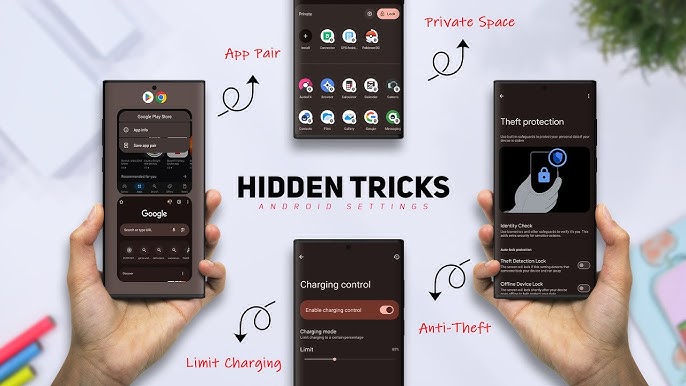
6. Hidden Android Features You Should Try
Many useful Android features remain hidden in settings.
Enable Developer Options
Go to Settings > About Phone and tap Build Number seven times to unlock Developer Options.
Useful settings include:
- Reduce animation scale for faster performance
- Enable USB debugging for advanced users
Split Screen Mode
Run two apps at once by enabling Split Screen from the Recent Apps menu.
One-Handed Mode
This feature shrinks the screen for easy use on large phones.
7. Smart Data Saving Tips
Mobile data is expensive for many users. These Android tips can help save data:
Enable Data Saver
Turn on Data Saver to restrict background data usage.
Limit App Background Data
Block background data for apps that consume too much internet.
Use Wi-Fi Whenever Possible
Download apps, updates, and large files only on Wi-Fi networks.
8. Customize Your Android Phone Like a Pro
Android customization is one of its biggest advantages.
Use Custom Launchers
Launchers like Nova Launcher or Smart Launcher allow you to change icons, layouts, and gestures.
Change Themes and Fonts
Many phones offer built-in theme stores to personalize your device.
Add Useful Widgets
Widgets provide quick access to weather, calendar, notes, and music directly from the home screen.
9. Manage Storage Space Efficiently
Running out of storage can slow your phone and prevent updates.
Use Built-In Storage Cleaner
Most Android phones include a storage cleaning tool to remove junk files.
Clear App Cache
Clear cached data from large apps like Instagram, Chrome, and YouTube.
Use Cloud Storage
Store photos and videos in Google Drive or other cloud services to free local storage.
10. Google Assistant Tips for Everyday Tasks
Google Assistant can make your life easier with voice commands.
Hands-Free Commands
Say “Hey Google” to set alarms, send messages, or check the weather.
Smart Reminders
Set reminders for meetings, bills, or daily tasks.
Control Smart Devices
Use Google Assistant to control smart lights, TVs, and other devices.
11. Keep Your Android Phone Updated
Regular updates improve performance, security, and stability.
Enable Auto Updates
Turn on automatic updates for apps and system software.
Check for System Updates
Go to Settings > Software Update and install the latest Android version if available.
12. Final Thoughts
Android smartphones are packed with powerful features designed to make daily life easier. By using these best Android tips and tricks for everyday users, you can improve performance, save battery, protect privacy, and enjoy a smoother mobile experience.
Whether you are using a budget phone or a flagship device, these tips work across most Android versions and brands. Keep exploring new features, stay updated, and make your Android device smarter than ever.
For more Android guides, APK reviews, and tech tips, stay connected with apkw8.org.