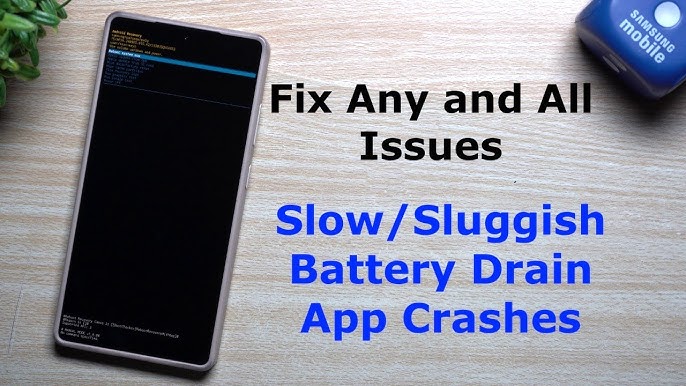

Android smartphones have become an essential part of our daily lives. From communication and entertainment to work and online payments, we rely on our Android devices for almost everything. However, even the best Android phones are not perfect. Many users face common Android problems such as slow performance, battery drain, app crashes, storage issues, overheating, and connectivity errors.
If you are tired of searching for solutions every time your phone misbehaves, you are in the right place. In this detailed guide, we will cover Tech How-To Solutions for Common Android Problems, explained step by step in simple human language. No technical jargon, no confusion—just practical fixes that actually work.
This article is perfect for beginners, regular Android users, and even tech enthusiasts looking to optimize their smartphones.
1. Android Phone Running Slow? Here’s How to Fix It
One of the most common Android problems is slow performance. Over time, phones tend to lag due to background apps, storage clutter, or outdated software.
Why Android Phones Become Slow
- Too many apps running in the background
- Low internal storage
- Old Android version
- Cache buildup
- Heavy widgets and live wallpapers
How to Speed Up Your Android Phone
- Restart your phone at least once a week
- Remove unused apps
- Clear app cache (Settings → Storage → Cache)
- Disable unnecessary animations (Developer Options)
- Avoid task killer apps—they often do more harm than good
💡 Pro Tip: Lightweight launcher apps can significantly improve performance on older devices.
2. Battery Draining Too Fast? Fix Android Battery Issues
Fast battery drain is another frustrating issue faced by Android users worldwide.
Main Reasons for Battery Drain
- Screen brightness set too high
- Apps syncing continuously
- GPS, Bluetooth, and Wi-Fi always ON
- Battery-hungry apps running silently
How to Improve Android Battery Life
- Enable Battery Saver Mode
- Reduce screen brightness or enable Adaptive Brightness
- Turn off location services when not needed
- Check battery usage (Settings → Battery → Usage)
- Uninstall apps that consume too much power
🔋 Bonus Tip: Avoid charging your phone overnight to maintain long-term battery health.
3. Android Apps Keep Crashing? Easy Solutions
App crashes can ruin your experience, especially when using important apps like WhatsApp, YouTube, or banking apps.
Common Causes of App Crashes
- Corrupted app cache
- Outdated app version
- Software incompatibility
- Low RAM
How to Fix App Crashing on Android
- Clear app cache and data
- Update the app from Play Store
- Update Android system
- Reinstall the problematic app
- Restart your device
If the issue persists, the app may not be optimized for your Android version yet.
4. Storage Full Problem on Android (Even When It’s Not!)
Many users complain that Android shows “Storage Full” even after deleting files.
Why This Happens
- Hidden cache files
- WhatsApp media accumulation
- Duplicate photos and videos
- System junk files
How to Free Storage Space
- Use built-in storage cleaner
- Delete WhatsApp media manually
- Clear Google Photos trash
- Remove offline videos and downloads
- Move files to cloud storage or SD card
📂 Smart Tip: Regularly back up photos and videos to avoid storage headaches.
5. Android Phone Overheating? Cool It Down Fast
Overheating can damage your phone’s battery and internal components if ignored.
Reasons Behind Overheating
- Gaming for long hours
- Charging while using the phone
- Poor ventilation
- Malware or rogue apps
How to Fix Android Overheating
- Stop using your phone while charging
- Close heavy apps and games
- Remove phone cover temporarily
- Keep your device out of direct sunlight
- Scan for malware
🔥 Warning: Never put your phone in the fridge—it can cause moisture damage.
6. Wi-Fi and Mobile Data Not Working on Android
Internet issues are extremely common and often misunderstood.
Possible Causes
- Network settings glitch
- Weak signal
- Incorrect APN settings
- Software bugs
How to Fix Internet Problems
- Turn Airplane Mode ON for 30 seconds, then OFF
- Restart router and phone
- Reset network settings
- Check APN settings from your carrier
- Update system software
📶 Quick Fix: Switching between 4G and 5G often refreshes the connection.
7. Bluetooth Not Connecting? Fix Pairing Issues
Bluetooth problems are annoying, especially when using earbuds or car systems.
Why Bluetooth Fails
- Compatibility issues
- Old paired devices list
- Software glitches
How to Fix Bluetooth Issues
- Forget the device and pair again
- Restart both devices
- Clear Bluetooth cache
- Update Android OS
🎧 Tip: Keep Bluetooth accessories fully charged for stable connections.
8. Android Phone Not Charging Properly
Charging issues are more common than people realize.
Main Reasons
- Damaged cable or adapter
- Dust in charging port
- Faulty power source
How to Fix Charging Problems
- Try a different cable and charger
- Clean charging port carefully
- Avoid charging from low-power USB ports
- Restart phone
⚡ Important: Always use original or certified chargers.
9. Android Touchscreen Not Responding
A frozen or unresponsive touchscreen can feel like a nightmare.
Why Touchscreen Stops Working
- Software freeze
- Physical damage
- Overheating
Solutions
- Force restart your phone
- Remove screen protector
- Boot into Safe Mode
- Factory reset (last option)
10. Google Play Store Not Working? Fix It Easily
Play Store issues can prevent app downloads and updates.
Common Problems
- Download stuck
- “Something went wrong” error
- Play Store not opening
How to Fix Play Store Errors
- Clear Play Store cache and data
- Check Google account sync
- Update Google Play Services
- Restart device
🛒 Pro Tip: Keep Play Services updated for smooth app performance.
11. Android Phone Automatically Restarting
Random restarts are often linked to software or hardware issues.
Possible Causes
- Buggy updates
- Faulty apps
- Overheating
Fixes
- Uninstall recently installed apps
- Update system software
- Perform factory reset if needed
12. Notifications Not Showing on Android
Missing notifications can cause serious problems, especially for messages and emails.
Why Notifications Don’t Appear
- Battery optimization enabled
- Do Not Disturb mode
- App notification settings disabled
How to Fix Notification Issues
- Disable battery optimization for apps
- Check app notification permissions
- Turn off Do Not Disturb
🔔 Tip: Some phones aggressively block background apps—check manufacturer settings.
13. Android Virus & Malware Issues
Yes, Android phones can get malware too.
Signs of Malware
- Unexpected ads
- Unknown apps installed
- Sudden battery drain
How to Remove Malware
- Uninstall suspicious apps
- Use Play Protect
- Update Android security patches
🛡️ Advice: Avoid downloading APKs from untrusted sources.
14. Factory Reset: Last Solution for Android Problems
If nothing works, factory reset can fix most software-related issues.
Before Resetting
- Backup all important data
- Sign out of Google account
When to Reset
- Persistent lag
- Software corruption
- Major system errors
⚠️ Warning: Factory reset deletes everything.
Final Thoughts
Android problems are common, but most of them are easy to fix if you know the right solutions. Instead of rushing to a repair shop, try these Tech How-To Solutions for Common Android Problems at home. Regular maintenance, smart app usage, and timely updates can keep your Android phone fast, secure, and reliable for years.
At apkw8.org, we aim to provide simple, practical, and user-friendly tech guides to help you get the best out of your devices. Bookmark this page and share it with friends who are struggling with Android issues.