
Artificial Intelligence is no longer something only developers or tech experts use. In 2026, AI is part of our daily lives — from writing messages to editing photos and even organizing work. The best part? You don’t need technical skills to use it.
If you’re new to AI and wondering where to start, this complete guide on Beginner AI Apps Everyone Can Use will help you discover the easiest and most useful tools available today.
Whether you’re a student, blogger, freelancer, office worker, or casual smartphone user, these beginner-friendly AI apps can save time, increase productivity, and simplify everyday tasks.
Let’s explore everything step by step.
Why Beginner AI Apps Are Trending in 2026
AI tools are growing rapidly because they solve real problems:
- Save time on repetitive tasks
- Improve writing and communication
- Create images and videos instantly
- Boost productivity
- Help with learning and research
- Organize daily life
The reason Beginner AI Apps Everyone Can Use are so popular is simple: they are designed to be easy, fast, and user-friendly.
You don’t need coding skills.
You don’t need expensive software.
You just need a smartphone or laptop.
1. ChatGPT – The Easiest AI Assistant for Everyone
When talking about Beginner AI Apps Everyone Can Use, the first name that comes to mind is ChatGPT.
What It Does:
- Writes emails, essays, and blog posts
- Answers questions instantly
- Helps with homework
- Generates ideas
- Explains difficult topics in simple words
Why It’s Perfect for Beginners:
- Simple chat-style interface
- No technical setup
- Available on web and mobile
- Works like texting a smart assistant
If you can type a message, you can use ChatGPT.
2. Grammarly – Smart Writing Made Easy
Writing mistakes can make your content look unprofessional. Grammarly fixes that.
Features:
- Grammar correction
- Spelling fixes
- Tone suggestions
- Sentence improvement
- Email writing support
Why It’s a Beginner AI App:
It works automatically in your browser or keyboard. You don’t need to understand grammar rules — the AI handles everything.
For students and bloggers on apkw8.org, this is one of the most useful beginner AI tools available.
3. Canva – AI Design Without Skills
Creating posters, thumbnails, or social media posts used to require design skills. Not anymore.
Canva includes AI tools that:
- Generate images
- Remove backgrounds
- Create presentations
- Suggest layouts
- Write captions
Even if you’ve never designed anything before, Canva makes you look like a professional.
That’s why it belongs in the list of Beginner AI Apps Everyone Can Use.
4. Google Gemini – AI Built into Google
Previously known as Bard, Google Gemini is deeply connected with Google services.
What Makes It Useful:
- Research assistance
- Email writing in Gmail
- Summarizing documents
- Generating ideas
- Real-time web-based responses
Because many beginners already use Google services, Gemini feels familiar and easy.
5. Microsoft Copilot – Smart Help Inside Windows
If you use Windows or Microsoft Office, Copilot is already integrated.
It Can:
- Create PowerPoint slides
- Write Word documents
- Analyze Excel data
- Summarize emails
This is one of the most practical Beginner AI Apps Everyone Can Use for office workers and students.
6. Remini – AI Photo Enhancement for Beginners
Have blurry or old photos? Remini fixes them using AI.
Key Features:
- Enhances blurry photos
- Restores old images
- Improves facial details
- One-tap enhancement
No editing skills required. Just upload and let AI do the magic.
7. CapCut – AI Video Editing Made Simple
Short videos are trending in 2026. CapCut helps beginners edit like professionals.
AI Features:
- Auto captions
- Background removal
- AI voiceovers
- Smart effects
- Template-based editing
This app proves that Beginner AI Apps Everyone Can Use are not just for text — they work for video too.
8. Duolingo – AI-Powered Learning
Duolingo uses AI to personalize language learning.
Why Beginners Love It:
- Simple interface
- Gamified lessons
- Smart progress tracking
- Instant feedback
It adjusts to your learning speed automatically.
9. Notion AI – Smart Organization Tool
If you struggle with notes, tasks, or planning, Notion AI helps you organize everything.
It Can:
- Summarize notes
- Create task lists
- Generate project outlines
- Rewrite content
For bloggers and content creators on apkw8.org, this is extremely helpful.
10. FaceApp – Fun AI Editing
FaceApp lets users apply AI filters, change hairstyles, age effects, and more.
It’s beginner-friendly because:
- One-tap edits
- Instant results
- No design skills needed
It shows how AI can also be fun and creative.
How to Choose the Right Beginner AI App
With so many options available, how do you choose?
Here are simple tips:
1. Identify Your Goal
- Writing? → ChatGPT or Grammarly
- Design? → Canva
- Video editing? → CapCut
- Productivity? → Notion AI
- Learning? → Duolingo
2. Check Ease of Use
If the app looks complicated, skip it. The best Beginner AI Apps Everyone Can Use always have simple interfaces.
3. Start Free
Most AI apps offer free plans. Test before upgrading.
Benefits of Using Beginner AI Apps
Using Beginner AI Apps Everyone Can Use can:
- Increase productivity by 40–60%
- Reduce writing errors
- Save hours of editing time
- Improve creativity
- Help students learn faster
- Support small businesses
AI is not replacing beginners — it is empowering them.
Are Beginner AI Apps Safe?
Most popular AI apps are safe if:
- You download from official stores
- Avoid sharing sensitive data
- Use strong passwords
- Enable two-factor authentication
Always read privacy policies before uploading personal files.
Common Myths About Beginner AI Apps
Myth 1: AI Is Only for Experts
False. Most beginner AI apps require zero technical knowledge.
Myth 2: AI Is Expensive
Many beginner tools are free or affordable.
Myth 3: AI Replaces Humans
AI assists humans. It doesn’t replace creativity or critical thinking.
How AI Is Changing Daily Life in 2026
In 2026, AI is used in:
- Smartphones
- Social media apps
- Email platforms
- Online shopping
- Education systems
- Video editing tools
That’s why learning to use Beginner AI Apps Everyone Can Use is becoming a necessary digital skill.
Best Beginner AI Apps for Android Users
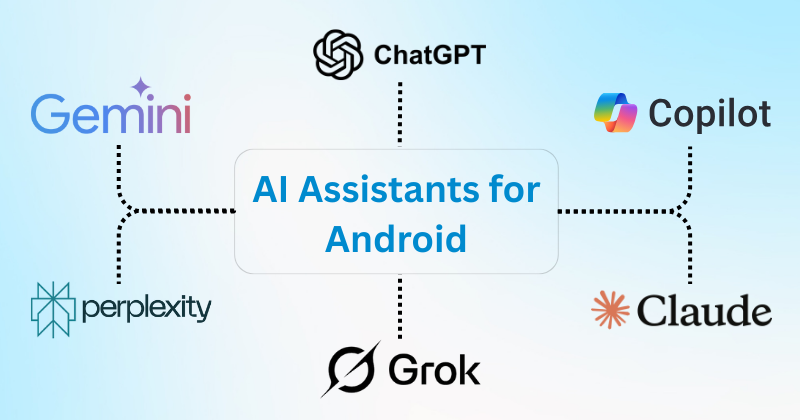
Since apkw8.org focuses on Android tech, here are top beginner AI apps for Android:
- ChatGPT
- Grammarly Keyboard
- Canva
- CapCut
- Remini
- FaceApp
- Duolingo
All are beginner-friendly and require minimal setup.
Tips to Get Maximum Value from Beginner AI Apps
- Be clear in your instructions
- Experiment with prompts
- Combine multiple apps
- Keep learning new features
- Use AI as assistant, not replacement
The more you practice, the better results you’ll get.
Future of Beginner AI Apps
By 2027 and beyond, we can expect:
- More voice-based AI
- Smarter personalization
- Offline AI tools
- AI integrated into every app
- Better privacy controls
The category of Beginner AI Apps Everyone Can Use will continue growing because simplicity is the future.
Final Thoughts
Artificial Intelligence is no longer complicated. Today, anyone with a smartphone can use powerful AI tools without technical skills.
From writing and designing to editing photos and learning new languages, these Beginner AI Apps Everyone Can Use make life easier, faster, and more productive.
If you’re just starting your AI journey, begin with one or two apps from this list. Explore their features. Practice daily. Within weeks, you’ll notice how much time and effort you’re saving.
AI is not the future anymore — it’s the present.
And now, you’re ready to use it.