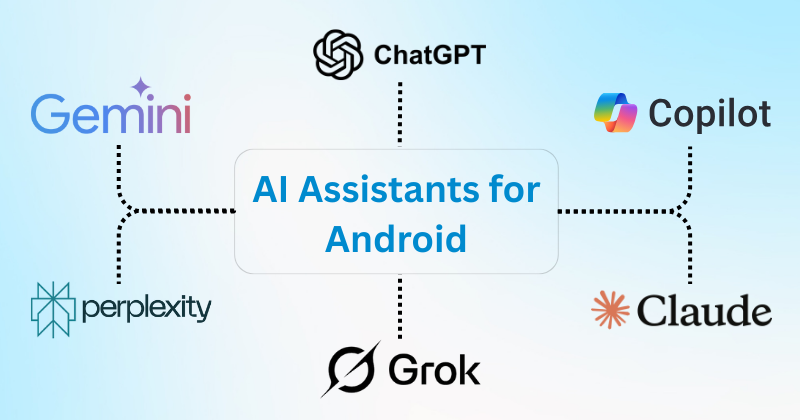

In today’s fast-paced digital world, staying organized and productive on your Android device is no longer just convenient—it’s essential. With the rise of artificial intelligence, AI-powered assistants have become indispensable tools for Android users. They can manage your schedule, answer queries, automate tasks, and even improve your overall smartphone experience. In this article, we’ll explore the Best AI Assistants for Android Users in 2026 and show you how to make the most of them.
Why Android Users Need AI Assistants
Android devices are incredibly versatile, but they can become overwhelming without the right tools. AI assistants provide intelligent automation, help you multitask efficiently, and even enhance your entertainment and learning experiences. Here are some key reasons Android users should consider AI assistants:
- Time Management: AI assistants can schedule appointments, send reminders, and even suggest optimal times for tasks.
- Smart Automation: From controlling smart home devices to sending messages hands-free, AI assistants can automate routine tasks.
- Information at Your Fingertips: Ask questions, get news updates, or search the web without touching your keyboard.
- Personalized Experience: AI learns your habits and preferences to deliver a tailored experience.
With these benefits in mind, let’s dive into the Best AI Assistants for Android Users that are making waves in 2026.
1. Google Assistant
When it comes to AI assistants for Android devices, Google Assistant remains a top choice. Integrated deeply into Android, it offers seamless functionality across apps and smart devices.
Features:
- Hands-free voice commands for calls, messages, and navigation.
- Smart home control compatible with Google Home devices.
- Personalized routines to automate daily tasks.
- Real-time translation for global communication.
Why It’s Great for Android Users:
Google Assistant is pre-installed on most Android phones, making setup effortless. Its integration with Gmail, Calendar, Maps, and other Google services ensures a unified and smooth user experience.
2. Amazon Alexa
While Alexa is often associated with Amazon Echo devices, it also works flawlessly on Android smartphones through the Alexa app.
Features:
- Voice commands for smart home management.
- Shopping assistance and Amazon integration.
- Music streaming from Amazon Music, Spotify, and more.
- Customizable skills to enhance productivity and entertainment.
Why It’s Great for Android Users:
Alexa is perfect for users who already rely on Amazon’s ecosystem. With Android support, you can control Alexa from your phone even when you’re away from home.
3. Samsung Bixby
For Samsung users, Bixby is a powerful AI assistant optimized for Galaxy devices.
Features:
- Context-aware assistance that understands your habits.
- Deep integration with Samsung apps and smart devices.
- Voice commands, text commands, and even visual search via Bixby Vision.
- Automation using Bixby Routines to simplify daily tasks.
Why It’s Great for Android Users:
Bixby’s tight integration with Samsung’s hardware and software makes it ideal for Galaxy owners. It’s particularly useful for managing multiple Samsung devices, from smartphones to smart TVs.
4. Microsoft Cortana
Although less popular than Google Assistant, Cortana remains a valuable AI assistant for productivity-focused Android users.
Features:
- Integration with Microsoft 365 apps for task management and email.
- Voice commands for setting reminders and scheduling meetings.
- Cross-platform support for Android, Windows, and iOS.
- Personalized insights based on user activity.
Why It’s Great for Android Users:
Cortana is perfect for professionals who rely heavily on Microsoft Office and Outlook. It brings the power of AI into your Android device, keeping your work organized and efficient.
5. Replika: AI Companion
If you’re looking for a more interactive and conversational AI assistant, Replika offers a unique experience.
Features:
- Conversational AI capable of chatting on any topic.
- Emotional support and mental wellness tools.
- Personalized interactions that learn from your communication style.
- Role-playing scenarios to improve social skills.
Why It’s Great for Android Users:
Replika is ideal for users who want more than just functional assistance. It provides emotional support, social interaction, and even creativity exercises, all from your Android device.
6. Robin: Your Personal Assistant
Robin is an AI assistant designed specifically for drivers and on-the-go Android users.
Features:
- Voice-enabled navigation and directions.
- Hands-free texting and calling while driving.
- Traffic alerts and nearby gas station recommendations.
- Integration with popular music and podcast apps.
Why It’s Great for Android Users:
Robin helps users stay safe and productive while driving, making it one of the best AI assistants for Android users who spend a lot of time on the road.
How to Choose the Best AI Assistant for Your Android Device
With so many options available, it can be difficult to decide which AI assistant is right for you. Here are some tips to help:
- Identify Your Primary Needs: Do you need productivity support, smart home integration, emotional companionship, or navigation assistance?
- Check Device Compatibility: Some assistants, like Bixby, work best with specific devices, while others like Google Assistant or Alexa are more universal.
- Consider Ecosystem Integration: If you’re already invested in Google, Amazon, or Microsoft services, choose an AI assistant that complements your ecosystem.
- Evaluate Privacy and Data Security: Review the privacy policies of AI assistants, especially if they handle sensitive personal information.
- Test Multiple Options: Most AI assistants are free to download, so you can experiment to see which one fits your style best.
Tips for Maximizing AI Assistants on Android
To get the most out of your AI assistant, consider the following:
- Enable Voice Recognition: Ensure your assistant recognizes your voice to enhance speed and accuracy.
- Customize Routines and Shortcuts: Set up daily routines or custom commands for repetitive tasks.
- Connect to Smart Devices: Sync your assistant with smart lights, thermostats, and other IoT devices for full automation.
- Regularly Update the App: AI technology evolves quickly, so keep your assistant app updated for new features.
- Explore Third-Party Integrations: Many AI assistants support external apps that can expand their capabilities.
The Future of AI Assistants on Android
AI assistants are not just evolving—they’re transforming the way we interact with technology. In 2026, we can expect:
- More Natural Conversations: AI assistants will understand context and nuance better than ever.
- Greater Automation: Tasks like managing finances, booking appointments, and home automation will become seamless.
- Enhanced Personalization: AI will predict user needs proactively, rather than just responding to commands.
- Cross-Device Intelligence: AI assistants will work flawlessly across phones, tablets, laptops, and smart home devices.
As these assistants grow smarter, Android users will find their devices becoming indispensable life companions, not just tools.
Conclusion
Choosing the right AI assistant can transform your Android experience, making your life more organized, productive, and even enjoyable. From the universal power of Google Assistant to the personalized touch of Replika, the Best AI Assistants for Android Users in 2026 offer something for everyone.
Whether you’re a busy professional, a tech enthusiast, or someone looking for a friendly AI companion, integrating an AI assistant into your Android device is a step towards smarter, more efficient living.
Start exploring these AI assistants today and unlock the full potential of your Android smartphone!